
What's New in Revit 2027: AI Assistant, MCP, Accelerated Graphics, and What Actually Shipped

What's New in Revit 2027: AI Assistant, MCP, Accelerated Graphics, and What Actually Shipped
We originally approached Revit 2027 as a public-roadmap editorial. Now the release is official, and that changes the question. The issue is no longer what looked likely on the roadmap. The issue is what actually shipped, what still sits in Tech Preview, and what matters most in real project work.
For us, the most exciting part of Revit 2027 is not a small modeling convenience or another checkbox in a settings dialog. It is that Autodesk has now put an AI assistant inside Revit, and it is openly describing a broader agentic direction around Model Context Protocol, or MCP. Right behind that comes the other major story: Accelerated Graphics has finally graduated from Tech Preview and is now positioned as a supported production capability for modeling and navigation.
That does not mean the rest of the release is unimportant. Revit 2027 also includes worthwhile improvements in interoperability, documentation, coordination, structural detailing, and selected architecture workflows. But if you ask what changes the long-term story of Revit most, our answer starts with AI and graphics.
1. Autodesk Assistant in Revit Is the Biggest Strategic Story
The official Revit 2027 release notes include Autodesk Assistant (Tech Preview). Autodesk describes it as an agentic design-and-make partner that can provide product help, answer model questions, and automate tasks through prompts.
That matters because Autodesk is no longer treating AI as a support afterthought. In the official Revit 2027 help page, Autodesk gives examples that already go beyond static documentation lookup. The assistant can help with product guidance, answer questions about model content, and trigger actions such as creating a schedule. That is still early, and it is still clearly labeled Tech Preview, but it is no longer theoretical.

The caution is obvious. This is not yet a fully mature cross-product design agent, and Autodesk is still framing it as preview-stage. But strategically, this is still the most important development in the release because it marks the point where natural-language interaction becomes part of the Revit product narrative rather than something happening only in marketing demos, external tools, or speculative roadmap posts.
2. Yes, Autodesk Now Officially Talks About MCP
This part is especially interesting because it goes beyond the Revit 2027 release notes themselves. On Autodesk’s official Autodesk Assistant page, Autodesk says the assistant embeds a Model Context Protocol client that connects to MCP servers for data, tools, tasks, and product API interactions. As of April 7, 2026, Autodesk also says it intends to support both desktop or local MCP servers and cloud-based MCP servers.
That is a serious signal. It suggests Autodesk is not only adding an in-product AI helper, but also aligning that assistant with a broader tool-and-data integration model that could matter for developers, BIM teams, and connected workflows.
Autodesk is also publishing official MCP material outside the Revit release notes. Its Autodesk MCP Servers page says Autodesk MCP servers are coming soon and specifically lists an Autodesk Revit MCP Server. Meanwhile, Autodesk’s MCP Server Help page already lists an Autodesk Help MCP Server and shows Autodesk Revit MCP as coming soon. Autodesk also published a February 11, 2026 Autodesk News article titled How Autodesk helped make the Model Context Protocol enterprise-ready, which is another strong clue that this is not a passing experiment.
That said, we should be precise. Revit 2027 does not ship with a publicly documented, fully available Autodesk Revit MCP server on day one. The official story today is more transitional: Autodesk Assistant is real, Autodesk is officially speaking MCP, Autodesk Revit MCP is on the roadmap, and the broader Autodesk AI stack is starting to take shape around that standard.
3. Accelerated Graphics Is the Biggest Confirmed Production Win
If Autodesk Assistant is the most important strategic story, Accelerated Graphics Graduates from Tech Preview is the biggest confirmed day-to-day performance story. This was one of the main things we expected to matter in Revit 2027, and Autodesk did deliver on that expectation.
Autodesk now says Accelerated Graphics is production-ready for modeling and navigation tasks. That does not mean every graphics or documentation edge case is solved, and Autodesk still notes that some documentation capabilities and visual effects may not be supported in this mode. But the status shift matters. This is no longer framed as a promising experiment. It is now part of the supported working environment.
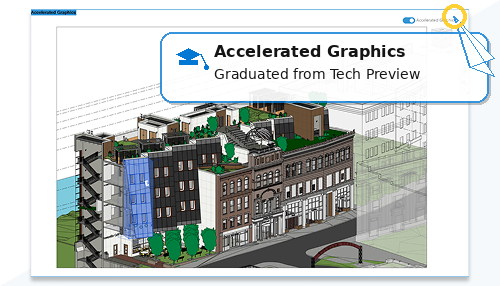
Autodesk even attaches a concrete example. In its sample comparison, walkthrough playback in a 300-frame model with all RVT links loaded drops from 3 minutes and 18 seconds in standard Revit 2027 to 38 seconds in Revit 2027 with Accelerated Graphics. Vendor benchmarks should always be read carefully, but that is still a meaningful public claim.
The supporting feature pages make the story stronger. Section box manipulation in accelerated views is now real-time and GPU-driven, which is exactly the kind of change users feel immediately in navigation and review workflows.
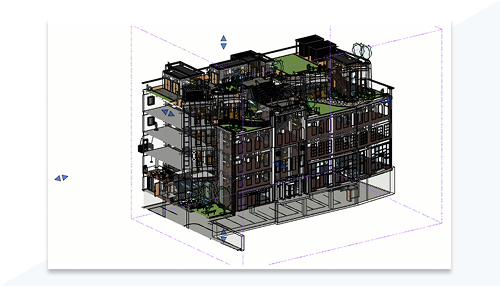
Autodesk also highlights improved handling of linked models in accelerated views, including better display of linked 3D elements, support for load, unload, and reload workflows, and better behavior when projects contain many or repeated link instances.
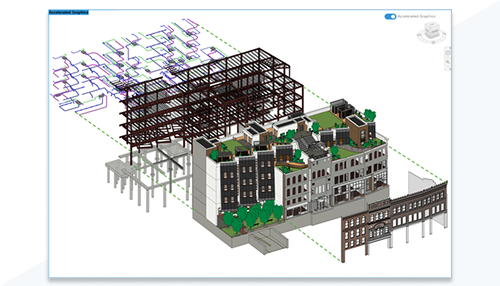
That is why we think the graphics story deserves second billing right behind AI. It is one thing for Autodesk to promise a modern graphics future. It is another thing to ship the transition in a form it now presents as ready for real use.
4. The Best of the Rest
After AI and Accelerated Graphics, the strongest confirmed items in the release are less flashy but still valuable.
IFC Parameter Mapping
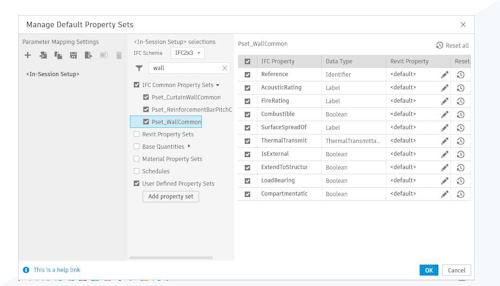
IFC Parameter Mapping is one of the most practical interoperability wins in the whole release. Instead of pushing users toward IFC text configuration files, Autodesk now exposes parameter-to-property-set mapping directly in the export workflow. For openBIM teams, that is exactly the sort of improvement that reduces friction where interoperability usually breaks down: in the details.
Host a Wall on Another Wall
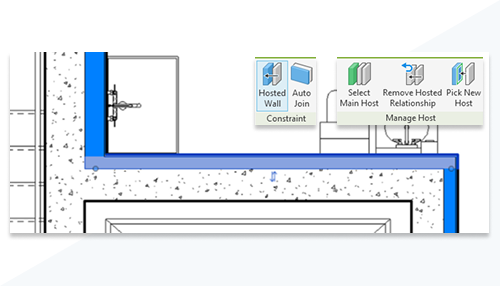
Host a Wall on Another Wall is exactly the kind of architecture feature that may sound small in a feature list but removes long-running modeling awkwardness. Hosted walls now follow their host’s geometry, movement, and rotation, while supporting offsets, rehosting, scheduling, and view control.
Rule-Based Numbering for Model Elements
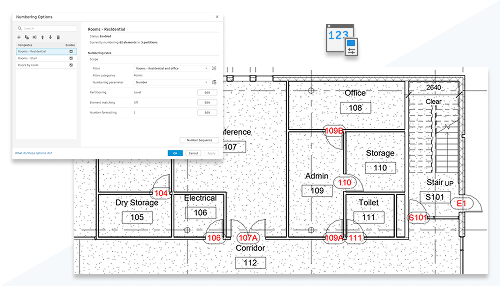
Rule-Based Numbering for Model Elements is stronger than it first appears. Autodesk’s detail page shows a fairly serious system around filters, partitions, template priority, room-based door numbering, suffix logic, gap removal, and editable results. This is the kind of feature that can quietly save a lot of repetitive coordination effort.
Integrated Issues Management in Revit
Integrated Issues Management in Revit also looks better after reading the official detail page. Autodesk is not only talking about issue visibility. It is talking about creating issues in 3D for published views, synchronizing them between Revit and Forma Design Collaboration, and keeping them visible in both 2D and 3D. For teams already invested in connected coordination, that is more meaningful than a generic issue panel story.
5. Structure Looks Stronger Than MEP in This Release
One thing that became clearer after reading the official pages in detail is that structure may have landed more convincingly than MEP in this cycle.
Structural users get items like 3D Path Rebar Shape Distribution, Enhanced Spacing Layout for Rebar, Longitudinal Free Form Rebar Splicing, and the especially interesting Longitudinal Bars Driven by Transverse Rebar. Those are focused, specific workflow improvements that look directly useful for demanding reinforcement work.
MEP, by comparison, feels more modest in the official list. The visible shipped items include Improved Heating and Cooling Loads Analysis, Improved Editing for MEP Fabrication Parts, and HVAC Zones Upgraded to System-Zones. Useful, yes, but less transformative than some of the earlier preview-era signals suggested.
6. What We Expected but Did Not See Strongly in the Final List
One advantage of updating the original article instead of pretending the preview never happened is that we can be honest about what did not land as strongly as expected.
The biggest miss is Open Model Performance. That was one of the most important things we wanted from Revit 2027, but it does not appear as a visible standalone item on the official What’s New page.
The connected data story also looks narrower than we anticipated. The old roadmap reading suggested broader external access to cloud model data, externally added parameters, and geometry access through the AEC Data Model. The official 2027 release notes instead foreground narrower items like Extended Properties and Incremental Update in AEC Data Model for Cloud Models, and that second item is still marked Tech Preview.
In other words, the direction was real, but the visible final release is more incremental than the broader preview narrative implied.
Final Editorial View
Revit 2027 is not the kind of release that wins by sheer quantity of headline-grabbing commands. It wins through a more important mix of signals. Autodesk Assistant makes AI in Revit concrete. Autodesk’s official MCP language suggests a larger agentic platform direction is forming behind the scenes. Accelerated Graphics graduates into a real supported workflow. And a set of practical improvements in IFC export, hosted walls, numbering, coordination, and reinforcement adds credible production value around those bigger themes.
If we had to reduce Revit 2027 to one sentence, it would be this: the release confirms that Autodesk is trying to move Revit in two directions at once, toward a more agentic interface and toward a more modern graphics foundation. Those are the stories we think will matter most long after the smaller release-note items blur together.
Primary Sources
- Autodesk Help: What’s New in Revit 2027
- Autodesk Help: Autodesk Assistant (Tech Preview)
- Autodesk: Autodesk Assistant
- Autodesk: Autodesk MCP Servers
- Autodesk Help: MCP Server Help
- Autodesk News: How Autodesk helped make the Model Context Protocol enterprise-ready
- Autodesk Help: Accelerated Graphics Graduates from Tech Preview
- Autodesk Help: IFC Parameter Mapping










