
Grasshopper vs AI Rhino Automation

Short answer: Grasshopper and AI Rhino automation solve different problems, so it is rarely an either/or choice. Grasshopper is the right tool when you need a durable, parametric definition you can re-run with new inputs. AI Rhino automation, delivered through Archi Automate over the Model Context Protocol (MCP), is the right tool when you want to ask questions, make one-off edits, or run audits in plain language without building a graph. The strongest workflows use both.
If you work in Rhino 8 (McNeel), you have probably wondered where conversational AI fits next to Grasshopper. This guide compares the two fairly, explains what each does best, and shows how they complement each other rather than compete.
What Grasshopper is great at
Grasshopper is a mature, widely respected node-based visual programming environment built into Rhino. You connect components on a canvas to describe geometry as a flowing system of inputs, operations, and outputs. Once a definition exists, it is genuinely powerful: change a slider or a curve and the whole model updates.
Grasshopper shines for:
- Parametric and generative definitions. Facades, structural grids, tessellations, and form-finding studies that depend on tunable parameters.
- Repeatable systems. A definition you build once and reuse across many projects or many design options.
- Explicit, inspectable logic. The graph is the documentation; anyone can trace how geometry was produced.
- A vast ecosystem. Decades of plug-ins, components, and community knowledge.
The trade-offs are also well known. You build the graph manually, which has a real learning curve. The definition lives inside Rhino and does not reach other applications on its own. And it is not conversational: you cannot simply ask it to "list every layer with no objects" or "report the volume of the selected Breps" without wiring up components to do exactly that.
What AI Rhino automation is great at
AI Rhino automation takes a different approach. Instead of building a graph, you describe what you want in natural language to an AI client, and Archi Automate composes governed operations at runtime against the Rhino API. There is no canvas to wire up and nothing to maintain between sessions.
Archi Automate is an "AI for AEC" connector. It links AI clients such as Claude, Codex, Cursor, VS Code, Windsurf, Antigravity, Gemini CLI, Cline, or any MCP client to Rhino 8 (McNeel) over MCP. The same installer also reaches Autodesk® Revit® 2025–2027, Archicad 29 (Graphisoft), and openBIM workflows (IFC, IDS, BCF), so the assistant you use in Rhino is the same assistant you use across your other hosts.
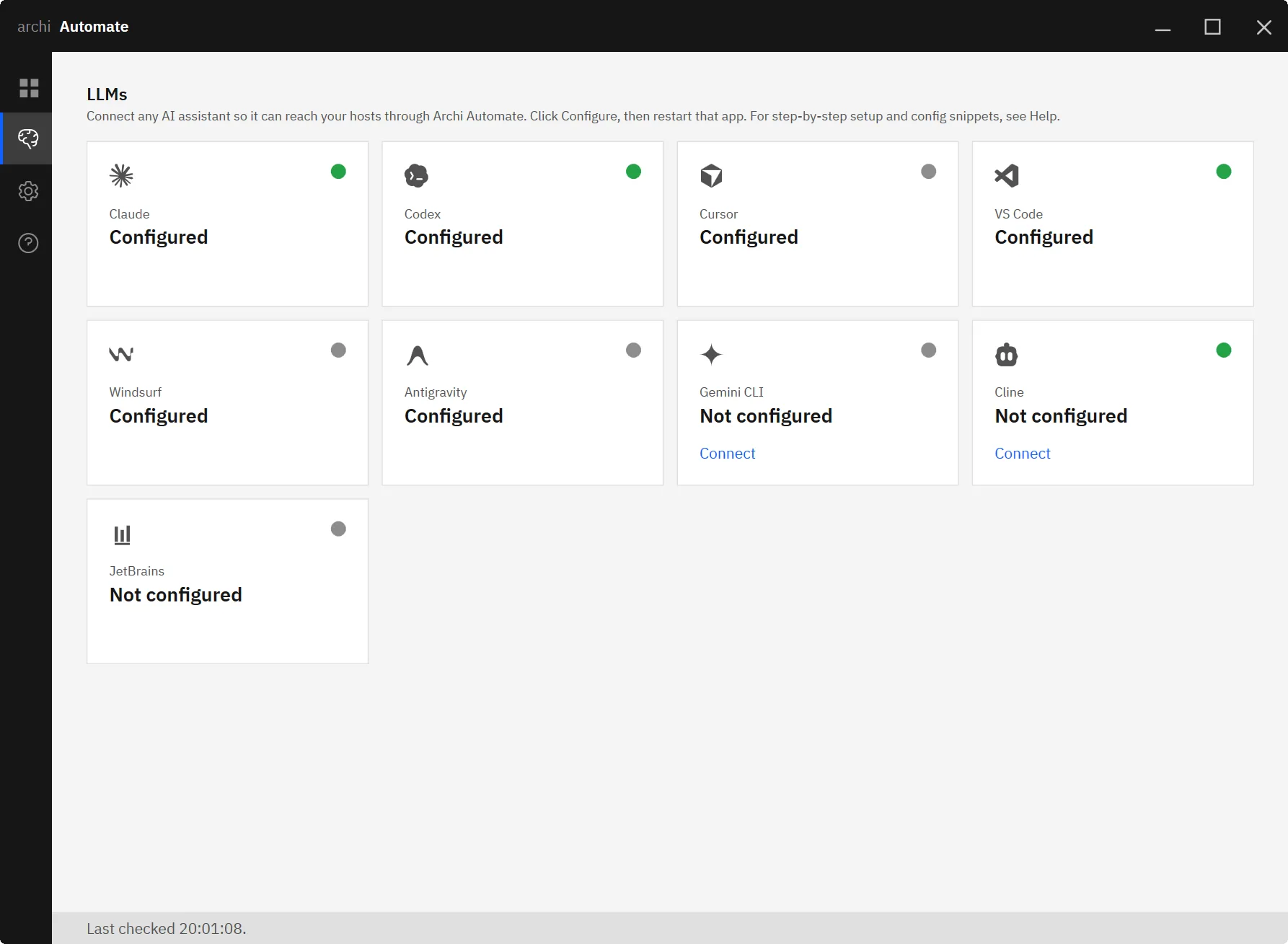
Conversational AI automation is well suited to:
- Ad-hoc queries. "How many layers are empty?" "What is the total surface area of these objects?" "Which blocks are unused?"
- One-off edits. Rename layers by a pattern, move objects between layers, or clean up stray geometry without authoring a definition you will never reuse.
- Audits and reports. Summarize model contents, report Brep volumes, or flag naming inconsistencies.
- Batch edits. Apply a repetitive change across many objects described in words.
- Cross-host work. Carry the same conversation from Rhino into Revit, Archicad, or an IFC review.
Because writes touch live model state, governance matters. Archi Automate defaults to Read only, offers a Preview step, and requires Allow changes before anything is modified. For Rhino specifically, writes are wrapped in a single managed Undo record, so a multi-step edit collapses to one clean undo. Actions are audited, so you can see what the assistant did.
Grasshopper vs AI Rhino automation, side by side
| Dimension | Grasshopper | AI Rhino automation (Archi Automate, MCP) |
|---|---|---|
| Interaction model | Visual node graph you wire by hand | Natural-language conversation, no graph |
| Learning curve | Steeper; component and dataflow literacy required | Gentle; describe the task in plain language |
| Repeatability | Excellent; definitions re-run with new inputs | Good for repeated prompts; not a saved parametric system |
| Ad-hoc tasks | Requires building components first | Immediate; ideal for queries, edits, and audits |
| Cross-app reach | Per-app, lives inside Rhino | One assistant across Rhino, Revit, Archicad, and openBIM |
| Governance and undo | Standard Rhino undo of baked results | Read-only default, Preview, Allow changes, single managed Undo, audited |
When to use which, and using them together
Choose Grasshopper when the value is in a system that endures: a parametric facade, a generative layout study, or any logic you will re-run with varied inputs. The upfront effort of building the graph pays back every time you reuse it.
Choose AI Rhino automation when the value is in the moment: an exploratory question, a quick cleanup, a model audit, or a batch edit you will never need again. Asking in plain language is faster than authoring a throwaway definition, and the guardrails keep changes safe.
The two work well in tandem. You might use the AI assistant to audit a model and report which layers are empty, then build a Grasshopper definition for the parametric facade those layers will hold. Or you might run a generative study in Grasshopper, bake the results, then ask the assistant to rename and reorganize the output layers and report volumes for a cost estimate. Grasshopper produces the durable system; the AI handles the conversational, one-off, and cross-tool steps around it.
A fair conclusion
Grasshopper is not going anywhere, and it should not. It remains the best way to express parametric and generative design intent inside Rhino, with an ecosystem few tools can match. AI Rhino automation does not replace that. It adds a conversational layer for the many tasks that do not justify a definition, and it extends the same assistant across Revit, Archicad, and openBIM. Think of them as complementary: parametric systems where structure matters, AI where speed and flexibility matter.
Related guides
- MCP for Rhino: a practical introduction
- Connect Claude to your AEC tools
- One AI across Revit, Rhino, and Archicad
- Dynamo vs AI Revit automation
- MCP for IFC and openBIM
Try Archi Automate free for 14 days, no key required — AI for AEC.










