
From Revit to IFC QA: Export, Validate, Coordinate

Short answer: The fastest way to run Revit IFC QA is to keep the whole pipeline inside one AI conversation: export the model from a live host, open that IFC in a headless openBIM connector, validate it against your IDS (or emit BCF issues for every failure), read the report, remediate the data, then re-validate and save. Because a single AI client spans both the live authoring tool and the vendor-neutral checker, data problems are caught before the model ever leaves your team.
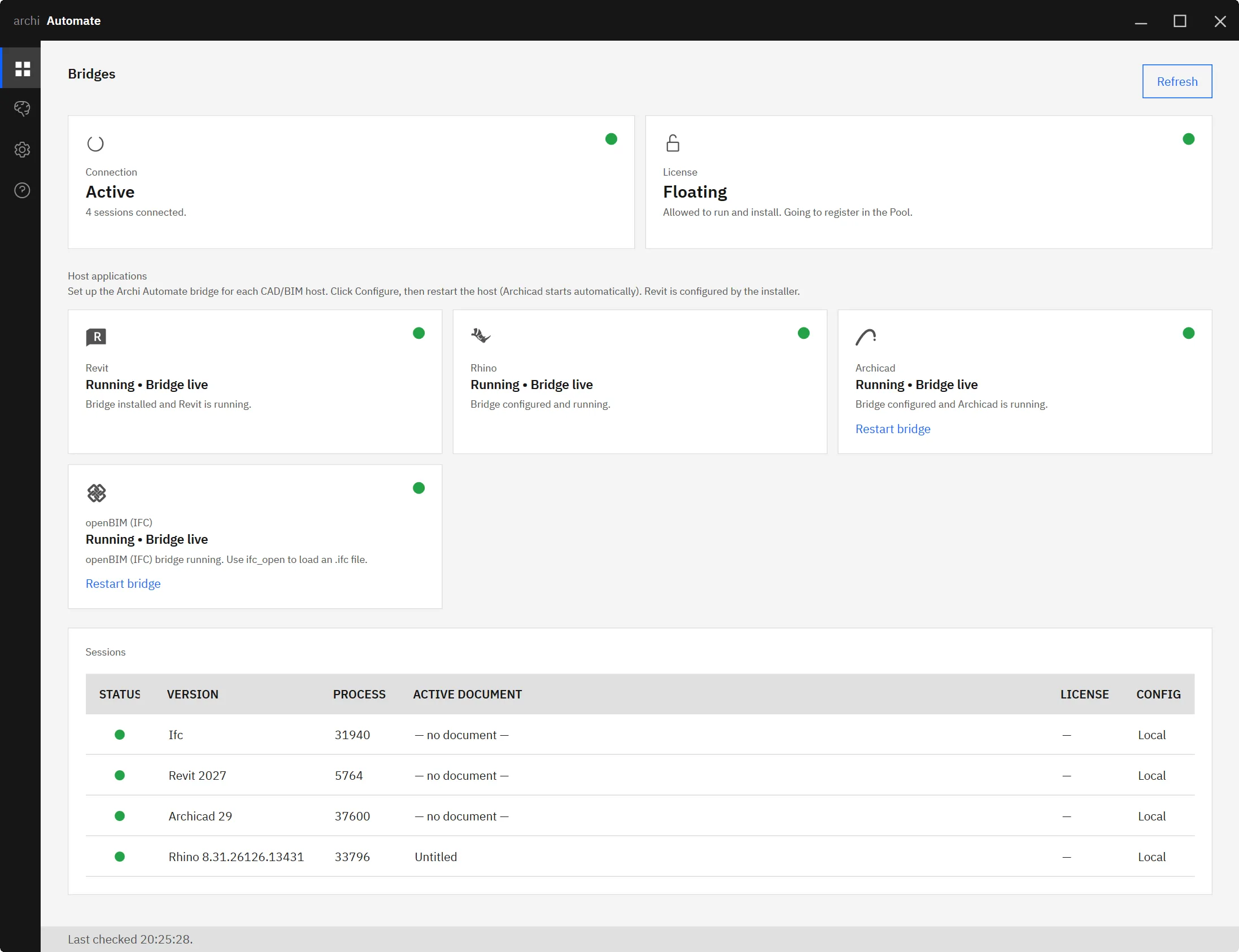
Archi Automate is an "AI for AEC" layer that connects AI clients to Autodesk® Revit® 2025–2027, Rhino 8 (McNeel), Archicad 29 (Graphisoft), and vendor-neutral openBIM (IFC·IDS·BCF) through MCP. It ships as one Windows installer with a 14-day trial and no key required. For Revit, the AI composes governed operations at runtime across the Revit API; the openBIM connector is headless, needing no CAD application or license, and works on IFC produced by any tool.
Why IFC export QA actually matters
Most IFC deliverables don't fail because the geometry is wrong. They fail on data: a missing fire rating, a Pset that didn't map, a classification code left blank, an object exported with the wrong IfcType. Visually the model looks fine, but the receiving party runs an information requirement check and bounces it back. By then the issue is days old, the author has moved on, and the round-trip costs a coordination cycle.
The discipline that prevents this is treating IFC export as a checkpoint, not a button. Every time you push Revit to openBIM, you should be asking whether the exported data satisfies the agreed Information Delivery Specification (IDS). The trouble is that the export lives in one tool and the validation lives in another, so the two halves rarely meet in the same place. That gap is exactly what a cross-host AI pipeline closes.
The pipeline in one conversation
Here is the loop, run end to end without leaving your AI client. Each step is a governed operation, and the AI carries context across the Revit-to-openBIM boundary so you never copy files between disconnected tools.
1. Export from the live host. Start in Revit with the model open. The AI drives a governed IFC export from the live host, using your agreed map and export setup. Because this happens against the running authoring session, the export reflects exactly what the team is working on right now.
2. Open the IFC in the headless connector. The AI hands the freshly written file to the openBIM connector with ifc_open. This connector is headless: no CAD application, no license, no second seat. It reads the IFC as data, which is the correct lens for QA because the receiving party will read it the same way.
3. Validate against your IDS, or go straight to BCF. With the file open, the AI runs ifc_validate_ids against your IDS to check every applicable requirement: required Psets, property values, classifications, predefined types. If you would rather drive remediation from issues, bcf_from_ids emits a BCF issue for each failure, ready to assign and track.
4. Read the failures. The validation report comes back as structured results: which entities failed, which requirement they missed, and why. The AI summarizes this in plain language, so instead of scrolling a raw log you get "42 walls are missing FireRating; 11 doors have no classification" and a clear sense of where to act.
5. Remediate the data. Now you fix the source. Often that means going back into the live host and correcting the parameters that drove the failing export, then re-exporting. Remediation that writes files crosses a guardrail, so it only happens when you have explicitly enabled changes. Until then the pipeline stays read-only and nothing is touched.
6. Re-validate and save. Export again, re-open in the headless connector, and run ifc_validate_ids a second time. When the report comes back clean, the AI saves the validated IFC and, if you used BCF, the matching issue set. You now have a deliverable that provably meets the spec plus an audit trail of how it got there.
It's genuinely cross-host
The reason this works in one sitting is that a single AI client spans two very different environments at once: the live Revit session where the data originates and the headless openBIM connector where it is judged. The AI moves between them inside the same conversation, so there is no export-to-disk, switch-tools, re-import-by-hand shuffle. Live authoring QA and vendor-neutral openBIM checking finally sit in the same workflow.
This is the difference between checking a model and governing it. To go deeper on each side, see how the AI works with the live host in MCP for Revit and how the headless side handles IFC in MCP for IFC and openBIM.
Repeatable as a pre-issue gate
The real payoff is turning this loop into a standing gate that runs before any IFC leaves the team. Wire the same conversation into your issue process: validate against the IDS, generate BCF for whatever fails, remediate, and only release the file once it passes. Nothing reaches the common data environment until it has cleared the spec.
Because every step is audited, you also get evidence. When a client asks whether the deliverable met their information requirements, you can show the validation result rather than asserting it. For the mechanics of those checks, see IFC IDS validation with AI and how to turn results into trackable issues in validate IFC to BCF in one step. When failures need fixing in the data itself, edit and remediate IFC with AI closes the loop.
Same approach, every authoring tool
Nothing about this pipeline is Revit-specific. The headless openBIM connector validates IFC regardless of where it came from, so the identical export-validate-remediate loop applies to Archicad 29 and Rhino 8 exports too. One AI, one IDS, one BCF workflow across your whole authoring stack means QA stops being a per-tool ritual and becomes a single repeatable standard. If your team mixes platforms, one AI across Revit, Rhino, and Archicad shows how that consolidation looks in practice.
Guardrails throughout
Every stage runs under the same controls. The default posture is read only, so opening and validating an IFC never changes anything. A Preview step lets you see what an operation would do, and writing files, whether saving a cleaned IFC or re-exporting from the host, requires you to Allow changes first. Each action is audited, which is what makes the pipeline trustworthy as a release gate rather than just a convenience.
Put together, the result is a QA pipeline that catches data problems at the source, proves compliance against an IDS, and produces a clean, vendor-neutral deliverable, all in one conversation that reaches from live Revit into headless openBIM.
Ready to run your own Revit-to-IFC QA loop? Try it on your next export with AI for AEC.











