
How to Connect Cline to Revit, Rhino and Archicad (MCP)

Short answer: To connect Cline to Revit, Rhino and Archicad, install Archi Automate (AI for AEC), open the Hub’s LLMs page, click Connect next to Cline, then restart VS Code and point Cline at a strong model. Cline is an open-source autonomous coding agent that runs as a VS Code extension and speaks the Model Context Protocol (MCP), so once the Hub writes the config it can read and edit your live Autodesk® Revit®, Rhino 8 and Archicad 29 models — plus openBIM IFC — in plain English. The whole thing takes about a minute, the connection is one click, and a 14-day full trial needs no key.
Cline started life as a coding assistant, but its real strength is that it is a true MCP client. That means it does not just write code — it can call out to any MCP server you give it. Archi Automate exposes your CAD and BIM hosts as exactly that kind of server, so Cline becomes a hands-on assistant for your building models without you wiring up a single line of configuration yourself.
How Cline talks to your model
It helps to picture the chain before you start. Cline lives inside VS Code as an extension. You bring your own large language model and connect it to Cline — an API key for a frontier model, a local endpoint, whatever you prefer. When you type a request, Cline sends it to that model, and the model decides which tools to call. Archi Automate sits at the end of that chain: its Hub runs a set of local bridges that connect to your running CAD applications, and Cline reaches those bridges over MCP.
So the flow is: you → Cline (in VS Code) → your chosen model → Archi Automate bridges → Revit, Rhino, Archicad or IFC. Nothing leaves your machine except the prompts and responses you send to your model. Because Cline is bring-your-own-model, the quality of the result depends heavily on the model you pick — more on that below.
Before you start
You will need a Windows 10 or 11 (x64) machine, VS Code with the Cline extension installed, and the Archi Automate installer. One installer bridges Revit 2025–2027, Rhino 8 (McNeel), Archicad 29 (Graphisoft) and vendor-neutral openBIM (IFC, IDS, BCF), so you do not need separate downloads per host. Open whichever CAD application you want to drive and leave it running; the openBIM connector is headless and needs no CAD app or license at all. Finally, make sure Cline is pointed at a capable model — Claude Opus 4.8 High, GPT-5.5 High, or better — because AI-composed operations on a live model reward strong reasoning.
Connect Cline in three steps
Open the Archi Automate Hub and go to the LLMs page. This is the dashboard where every supported client is listed with a one-click Connect button. The Bridges page nearby shows host status dots so you can confirm Revit, Rhino or Archicad is detected and live.
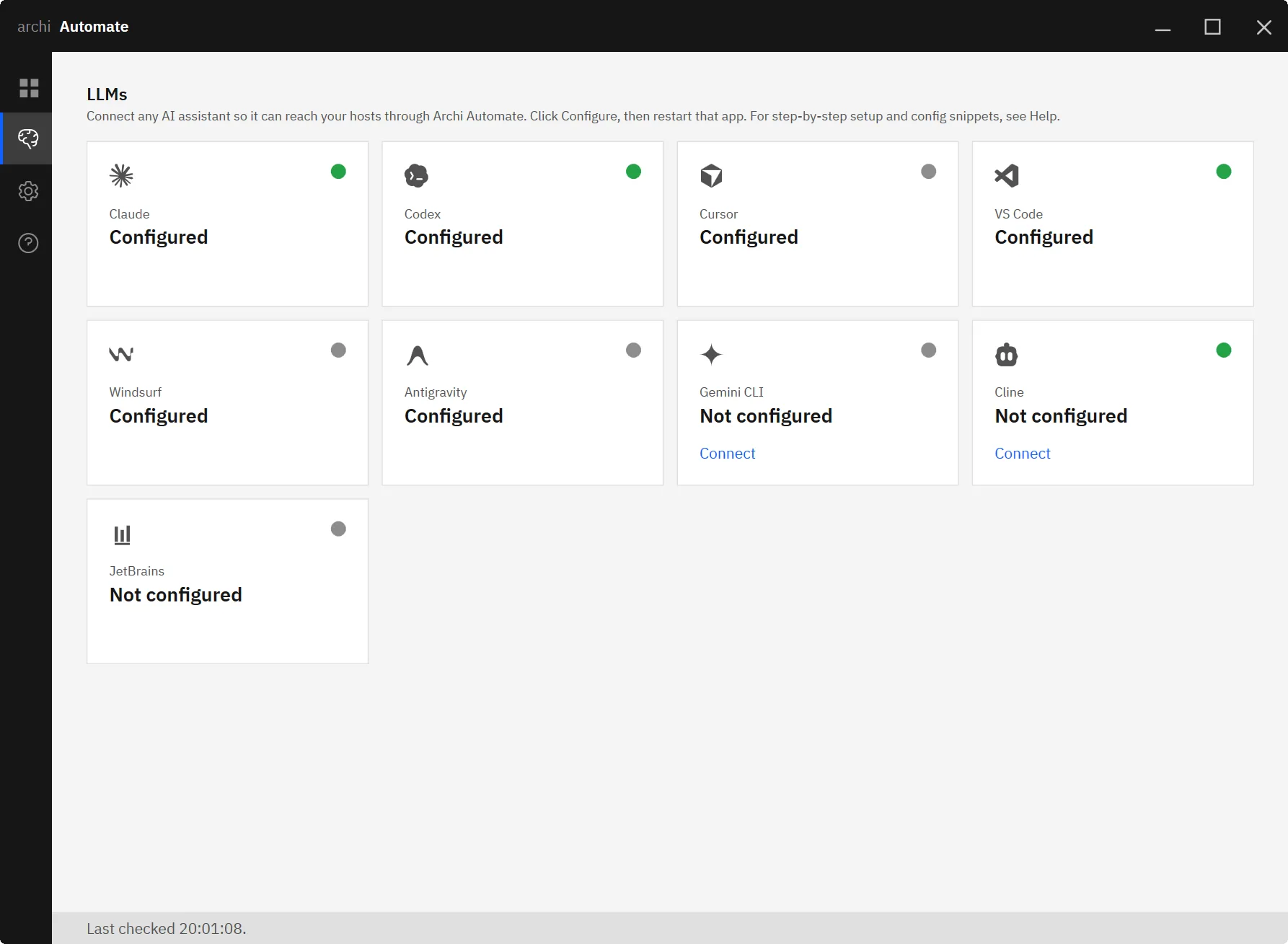
Find Cline in the list and click Connect. The Hub writes the MCP configuration straight into Cline for you: it backs up your existing settings first and merges the new entry in non-destructively, so nothing you already had is overwritten. There is no JSON to hand-edit and no file paths to hunt down.
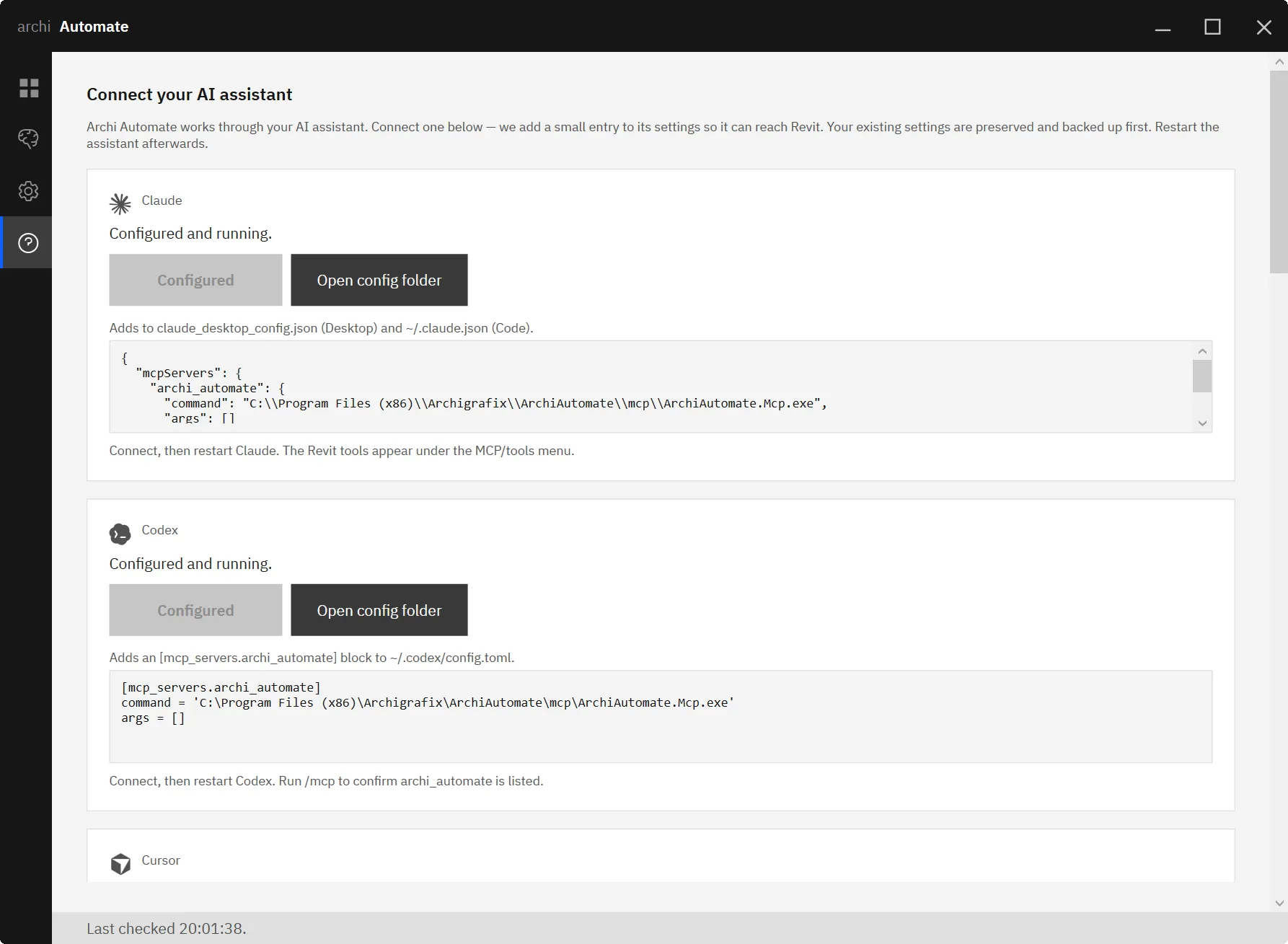
Now restart VS Code so Cline reloads its MCP servers, confirm your model is set to a strong reasoning model, and run a harmless read-only prompt to verify the link — something like asking how many rooms are on a level. If Cline answers with real data from your model, you are connected. Keep Guardrails on Read only for this first test so nothing can change.
What you can ask, per host
Revit. This is where most teams start. With a Revit model open, ask Cline plain-English questions and let it compose the operations at runtime across the Revit API. Try “How many rooms are on Level 2?” for a quick sanity check, then move to real QA work: “Audit every door for a fire-rating parameter and list those missing it.” Cline reads the model, walks the doors, and reports the gaps — the kind of tedious parameter sweep that normally eats an afternoon. Because operations are governed and screened, you stay in control of whether anything is ever written back.
Rhino. With Rhino 8 running, Cline can interrogate geometry and organisation just as easily. Ask “List the layers and report Brep volumes on a layer” and it will enumerate your layer structure and compute the solid volumes you need for a quick massing or quantity check. When you do allow changes, Rhino writes are wrapped in a managed Undo, so a single Ctrl+Z rolls back what the AI did.
Archicad. The Archicad 29 integration is a first-party add-on with a curated command set: it can read your model and create, move or delete walls, columns, slabs and objects. Ask “Create a wall between two points” and — with Guardrails set to Allow changes — Cline places it. Note that Archicad uses this fixed, vetted command set rather than dynamic code, and it does not offer a change preview, so writes always go through the Allow-changes gate explicitly.
openBIM / IFC. The headless connector lets Cline work with vendor-neutral models without any CAD app open. Ask “Validate this IFC against my IDS” and it opens and federates the IFC, checks it against your Information Delivery Specification, and reports what conforms. The same connector handles clash detection, quantity take-off, embodied-carbon estimates, model snapshots and authoring BCF issues. Model edits are previewable, while file writes go through Allow-changes.
Working across programs in one conversation
Because every host is exposed through the same MCP connection, you can move between them in a single Cline chat. Pull a room schedule out of Revit, cross-check the equivalent layers and volumes in Rhino, then validate the exported IFC against your IDS — all without leaving VS Code or restarting anything. Cline simply calls whichever bridge it needs. This is what makes the “one conversation, many tools” workflow practical for coordination tasks that used to mean three apps and a lot of manual copying.
Safety and guardrails
Archi Automate is built so the AI can never surprise you. Guardrails has three modes: Read only is the default and lets Cline look but never touch; Preview changes performs a dry run so you can see what would happen before committing (note that preview is not available for Archicad or file-writes); and Allow changes is the only mode in which anything is actually written. Every operation is screened, deletes can be blocked, sessions are audited, and nothing is ever auto-saved — you remain the one who saves the file. Start every project in Read only and step up deliberately.
Other clients and hosts
Cline is one of eight one-click clients, so if your team uses more than one tool you can connect them the same way. See the guides for connecting Claude to AEC, connecting VS Code (Copilot agent) to AEC, and connecting Cursor to AEC. To go deeper on a single host, read the host-specific walkthroughs: MCP for Revit, MCP for Rhino, and MCP for Archicad.
Try it
The fastest way to understand what Cline plus your live models can do is to run a few read-only prompts against a project you already know. The full trial lasts 14 days, unlocks every host, and needs no key. Start your free Archi Automate trial, connect Cline in a minute, and ask your first question.











