
How to Connect VS Code (Copilot) to Revit, Rhino and Archicad

Short answer: Install Archi Automate on your Windows 10/11 PC, enable GitHub Copilot's agent mode inside Visual Studio Code, then open the Archi Automate Hub, go to the LLMs page and click Connect next to VS Code. The Hub writes the Model Context Protocol (MCP) configuration into VS Code for you, backing up and merging non-destructively. Restart VS Code, switch Copilot to agent mode, and you can ask it to validate IFC files, audit Autodesk® Revit® parameters, query Rhino layers, and place Archicad walls—all from the chat panel you already use for code.
VS Code with the GitHub Copilot agent is one of the most natural homes for AEC automation. You already live in it. With Archi Automate's one-click connection, the same agent that refactors your scripts can reach straight into your live model and run governed, auditable operations against Revit, Rhino, Archicad, and vendor-neutral openBIM.
How VS Code (Copilot agent) talks to your model
The chain is short and worth understanding, because it explains why this is safe and why it works across four very different design tools. Copilot's agent mode is an MCP client—it can call external tools described over the Model Context Protocol. Archi Automate exposes your design hosts as MCP servers. When you ask Copilot something in agent mode, it discovers the available tools, decides which to call, and the Archi Automate bridge translates that into governed operations against the host application:
Copilot agent (MCP client) → Archi Automate Hub & bridges (MCP servers) → live host: Revit, Rhino, Archicad, or a headless openBIM connector.
Nothing leaves your machine to make this work, and Copilot never touches the host API directly. It asks; Archi Automate composes the governed operation at runtime and runs it under your guardrail setting. Because the openBIM connector is headless, you can validate and coordinate IFC without any CAD application or license open at all.
Before you start: enable Copilot agent mode
Two prerequisites. First, install Archi Automate—a single Windows 10/11 x64 installer that bridges Revit 2025–2027, Rhino 8 (McNeel), Archicad 29 (Graphisoft), and openBIM (IFC · IDS · BCF). The 14-day trial is the full product with no key required. Second, in VS Code, make sure GitHub Copilot is installed and signed in, then switch the Copilot Chat view into agent mode (the mode selector at the top of the chat panel). Agent mode is the part that speaks MCP—plain chat or inline completions will not see your model. Pick a strong Copilot model for the conversation; reliable multi-step, AI-composed operations against a BIM model reward a capable model over a fast-but-shallow one.
Connect VS Code in 3 steps
Step one: open the Archi Automate Hub and go to the LLMs page. This is the one-click connection panel. Every supported client is listed with a Connect button; the Bridges page nearby shows host status dots so you can confirm Revit, Rhino, or Archicad is detected.
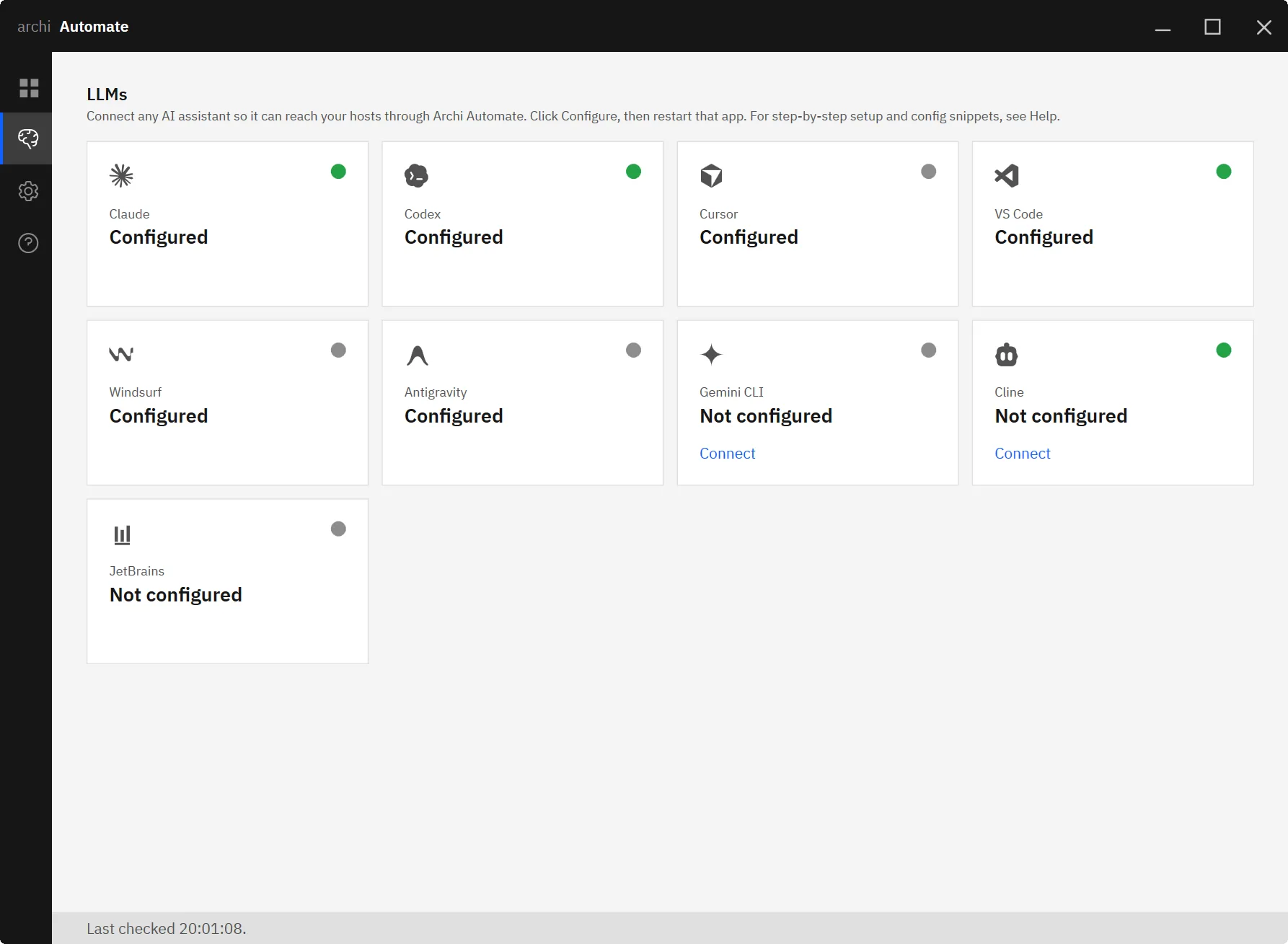
Step two: click Connect next to VS Code. The Hub writes the MCP server configuration into VS Code for you. It backs up your existing settings first and merges non-destructively, so any MCP servers you already use are left intact. There is no JSON to hand-edit and no file paths to hunt down.
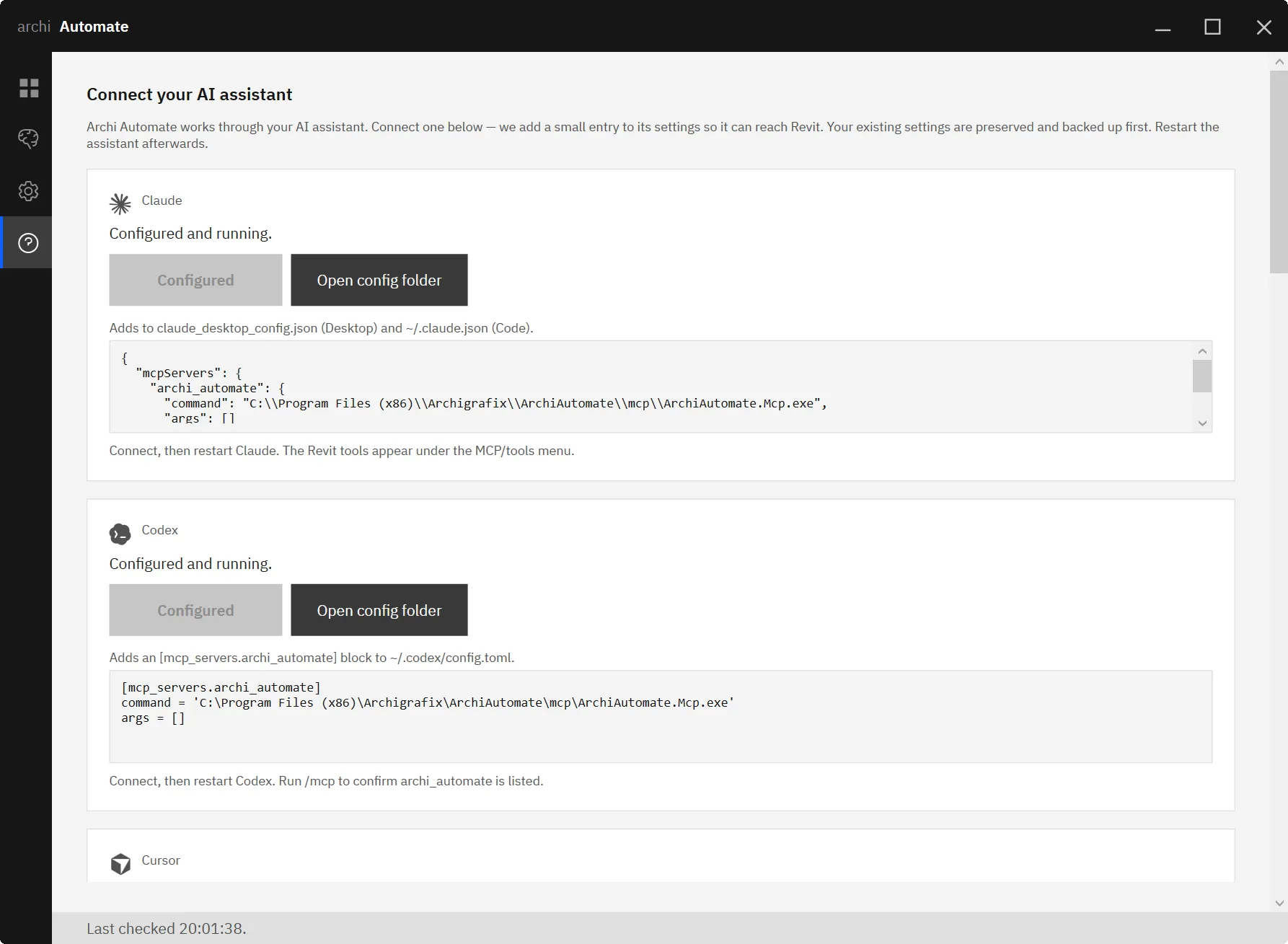
Step three: restart VS Code so it reloads the new configuration, open Copilot Chat in agent mode, and run a harmless read-only prompt to confirm the link. Something like “List the open hosts you can see” or, with a model open, “What layers exist in this Rhino file?” If Copilot answers with real data from your model, you are connected. Leaving Guardrails on the default Read only setting for this first test means nothing in your model can change while you verify the plumbing.
What you can ask, per host
The headline use case for VS Code is openBIM quality assurance and coordination—the kind of repeatable, rule-driven checking that fits an agent perfectly.
openBIM (IFC · IDS · BCF). The connector is headless, so no CAD app or license is involved. Try:
- “Validate this IFC against my IDS and turn the failures into a BCF issue set.”
- “Federate the models and find clashes.”
From there you can run quantity take-offs, produce an embodied-carbon estimate, capture snapshots, and author BCF issues to hand back to the design team. Model edits are previewable; writing files to disk requires the Allow changes guardrail.
Autodesk® Revit® (2025–2027). Copilot composes governed operations across the Revit API at runtime. A typical agent task: “Audit the doors for a fire-rating parameter and list any that are missing it.” That is a read-only sweep you can run safely on the default guardrail before you ever allow a change.
Rhino 8 (McNeel). Same runtime-composition model, with every write wrapped in a managed Undo so you can step back cleanly. Start simple: “List the layers,” then build up to selection and geometry queries before granting write access.
Archicad 29 (Graphisoft). Archicad is served by a first-party add-on with a curated command set—read, plus create / move / delete for Wall, Column, Slab, and Object. There is no dynamic code and no dry-run preview for Archicad, so writes always require the Allow changes guardrail. With that set, you can ask: “Create a wall between these two points.”
Working across programs in one conversation
Because all four hosts hang off the same MCP connection, a single Copilot agent thread can move between them. You might validate an IFC against your IDS, then turn to the live Revit model to check whether the offending doors actually carry the fire-rating parameter, then snapshot a BCF issue—without leaving the chat panel. The agent keeps the context of the conversation while Archi Automate routes each operation to the right host. For a code-centric team, that means your model coordination lives in the same window as your scripts, your repo, and your terminal.
Safety and guardrails
Every operation is screened before it runs, and you choose how much latitude the agent has. Read only is the default—Copilot can inspect and report but cannot alter anything. Preview changes is a dry-run that shows what would happen before it happens (note: preview is not available for Archicad or for file writes). Allow changes permits writes. Deletes can be blocked outright, sessions are audited so you have a record of what the agent did, and Archi Automate never auto-saves your files. The honest practical workflow: explore in Read only, confirm intent in Preview where it is supported, and only switch to Allow changes for the specific operation you want to commit.
Other clients and hosts
VS Code is one of eight one-click clients. If your team works across tools, the connection pattern is identical for the others—see connect Claude to AEC, connect Cursor to AEC, and connect Cline to AEC. To go deeper on a specific host, read MCP for IFC & openBIM, MCP for Revit, and MCP for Archicad.
Try it
If you already write code in VS Code, connecting Copilot to your live model is a three-click change to how you coordinate BIM. Start the free 14-day trial—the full product, no key—at goto.archi/ai-for-aec and run your first IFC validation from the chat panel you already have open.











